當您準備升級最新款的蘋果筆電,手邊的舊機該如何處理?在前往門市進行交易前,了解賣MacBook注意事項是非常重要的。這不僅能保護您的個人隱私,還能讓估價流程更順暢。青蘋果3C為您整理了賣機前必做的準備工作,包含 MacBook 重置教學與電池健康度的查看方法。
When you are ready to upgrade to the latest Apple laptop, how should you handle your old device? Before heading to the store for a transaction, understanding the precautions for selling a MacBook is crucial. This not only protects your personal privacy but also smooths out the valuation process. Green Apple 3C has compiled the essential preparations before selling, including a MacBook reset guide and how to check battery health.
注意事項一:備份資料與 MacBook 重置教學
Tip 1: Data Backup and MacBook Reset Guide
保護個人隱私是二手交易的第一步。在交出您的筆電前,請務必徹底清除所有資料:
Protecting personal privacy is the first step in second-hand transactions. Before handing over your laptop, be sure to completely erase all data:
- 備份您的資料 (Backup your data): 使用「時光機 (Time Machine)」將重要檔案備份到外接硬碟,確保您的資料萬無一失。
- 登出 Apple ID (Sign out of Apple ID): 前往「系統設定」>「Apple ID」,務必登出您的帳號,並關閉「尋找我的 Mac」功能。這一步非常關鍵,若未登出,下一位使用者將無法正常使用。
- 清除所有內容和設定 (Erase all content and settings): 在 macOS Monterey 或後續版本中,您可以直接在「系統設定」的「一般」選項中找到「傳送或重置」,點擊「清除所有內容和設定」,讓筆電恢復到原廠狀態。
注意事項二:MacBook 電池健康度怎麼看?
Tip 2: How to Check MacBook Battery Health?
電池的狀況會直接影響二手筆電的市場價值。專業的鑑定人員一定會檢查電池循環次數。您可以自己先在家裡確認:
The condition of the battery directly affects the market value of a used laptop. Professional appraisers will definitely check the battery cycle count. You can verify this yourself at home first:
- 按住鍵盤上的 Option 鍵,同時點擊螢幕左上角的 蘋果 () 選單。
- 選擇「系統資訊 (System Information)」。
- 在左側選單的「硬體」下方,點擊「電源 (Power)」。
- 在右側的「電池資訊」中,您就能找到「循環使用次數 (Cycle Count)」與「狀態 (Condition)」。
一般來說,循環次數越低,代表電池越健康,收購的價格也會相對更好。
注意事項三:帶齊原廠配件,讓價格更漂亮
Tip 3: Bring Original Accessories for a Better Price
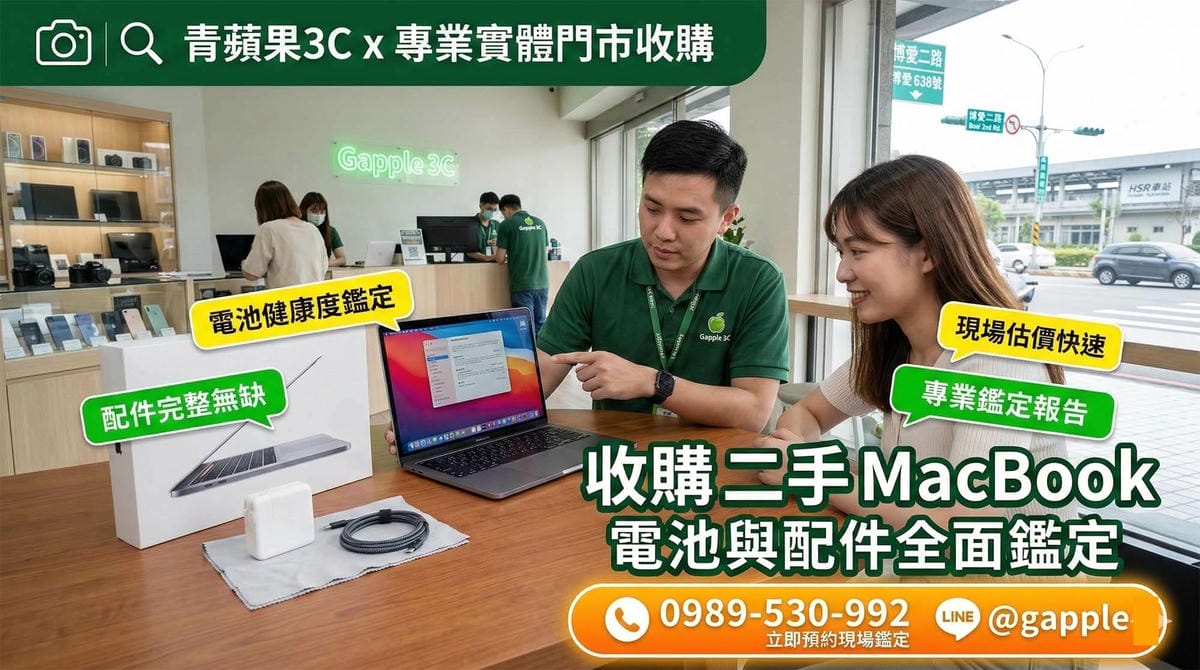
除了機身本身的狀況,配件的完整度也是加分的關鍵。出門前往門市前,請再次檢查是否帶齊了以下物品:
Besides the condition of the device itself, the completeness of accessories is also a key bonus. Before heading to the store, double-check if you have brought the following items:
- 原廠電源轉接器 (Original Power Adapter)
- 原廠充電線 (Original Charging Cable)
- 原廠外盒 (Original Box)
實體門市專業檢測,舊機換現金最安心
Professional Inspection at Physical Stores, Safe Cash for Old Devices
在家做好上述準備後,您就可以帶著筆電來找我們了!青蘋果3C 在全台擁有實體門市(高雄博愛店、台南西門店、台中一中店等)。我們堅持面對面進行透明的專業檢測,現場核對身分確認來源,並提供當場現金交易服務,絕無拖延。
After making these preparations at home, you can bring your laptop to us! Green Apple 3C has physical stores across Taiwan (Kaohsiung Bo’ai Store, Tainan Ximen Store, Taichung Yizhong Store, etc.). We insist on face-to-face, transparent professional inspections, verify identity on-site to confirm the source, and provide immediate cash transactions without delay.
如果您想了解更詳細的收購標準與流程,強烈推薦您閱讀我們的旗艦指南:二手macbook收購 完整服務介紹。
If you want to know more detailed acquisition standards and processes, we highly recommend reading our flagship guide: used MacBook purchase complete service introduction.